Business management systems generate a continuous stream of transactional documents: sales quotes, tax invoices, purchase orders, picking slips, packing dockets, and carrier shipping labels.
Traditionally, web-based ERP and CRM systems approach PDF generation using one of two methods:
- Headless Browser Rendering (e.g., Puppeteer, Playwright): Converts HTML/CSS to PDF. While flexible, this approach incurs substantial memory overhead (spawning 100MB+ Chromium processes per render), high latency (1–3 seconds per document), and fragile page-break behavior across print media stylesheets.
- Imperative Canvas Libraries (e.g., PDFKit, jsPDF): Fast and lightweight, but difficult to maintain because layouts are written as coordinate-based procedural code rather than declarative templates.
HeroBM takes a different approach by integrating Typst - a modern, Rust-based markup and typesetting engine - into a decoupled, metadata-driven reporting architecture.
Why Typst?
Typst is a markup-based document preparation system designed from scratch in Rust as a modern, high-performance alternative to LaTeX and browser-based rendering pipelines.
Core Advantages
- Sub-100ms Compilation: Written in Rust with incremental compilation, Typst compiles typical business documents to vector PDF in tens of milliseconds.
- Native Document Primitives: Features like repeating table headers on page splits (
table.header), dynamic page counters (Page X of Y), precise margin calculations, and vector alignment are first-class engine features, not CSS print workarounds. - Resource Efficiency: Runs as a lightweight, stateless CLI or library without requiring browser binaries, X11 dependencies, or heavy runtime background daemons in container images.
- Clean Scripting Syntax: Combines Markdown-like text formatting with a concise, Python/Rust-like scripting language for data binding, loops, and conditional formatting.
LLM-Assisted Template Authoring
One significant advantage of Typst's concise syntax is how well it pairs with Large Language Models (LLMs):
- Low Token Footprint & High Predictability: Unlike HTML/CSS print stylesheets - which often require verbose CSS rules, vendor prefixes, and delicate flexbox/grid workarounds - Typst code is compact, deterministic, and unambiguous.
- First-Pass Accuracy: Because Typst syntax is clean and structured, LLMs can reliably generate, customize, or refactor complete document templates on the first attempt.
- Zero-Setup Prompting: Developers or administrators can provide an LLM with a sample JSON data payload and a plain-English layout request (eg "Convert this invoice to a 2-column layout with a prominent VAT summary table and accent colors for totals"), and receive valid, ready-to-run Typst markup that drops straight into the HeroBM template editor.
Concretely, a user can take an existing template, and give it to an LLM with the prompt “Produce a landscape version that always shows the discount column”, then copy-paste the result back into HeroBM to get a new template.
System Architecture: Hooks vs. Templates
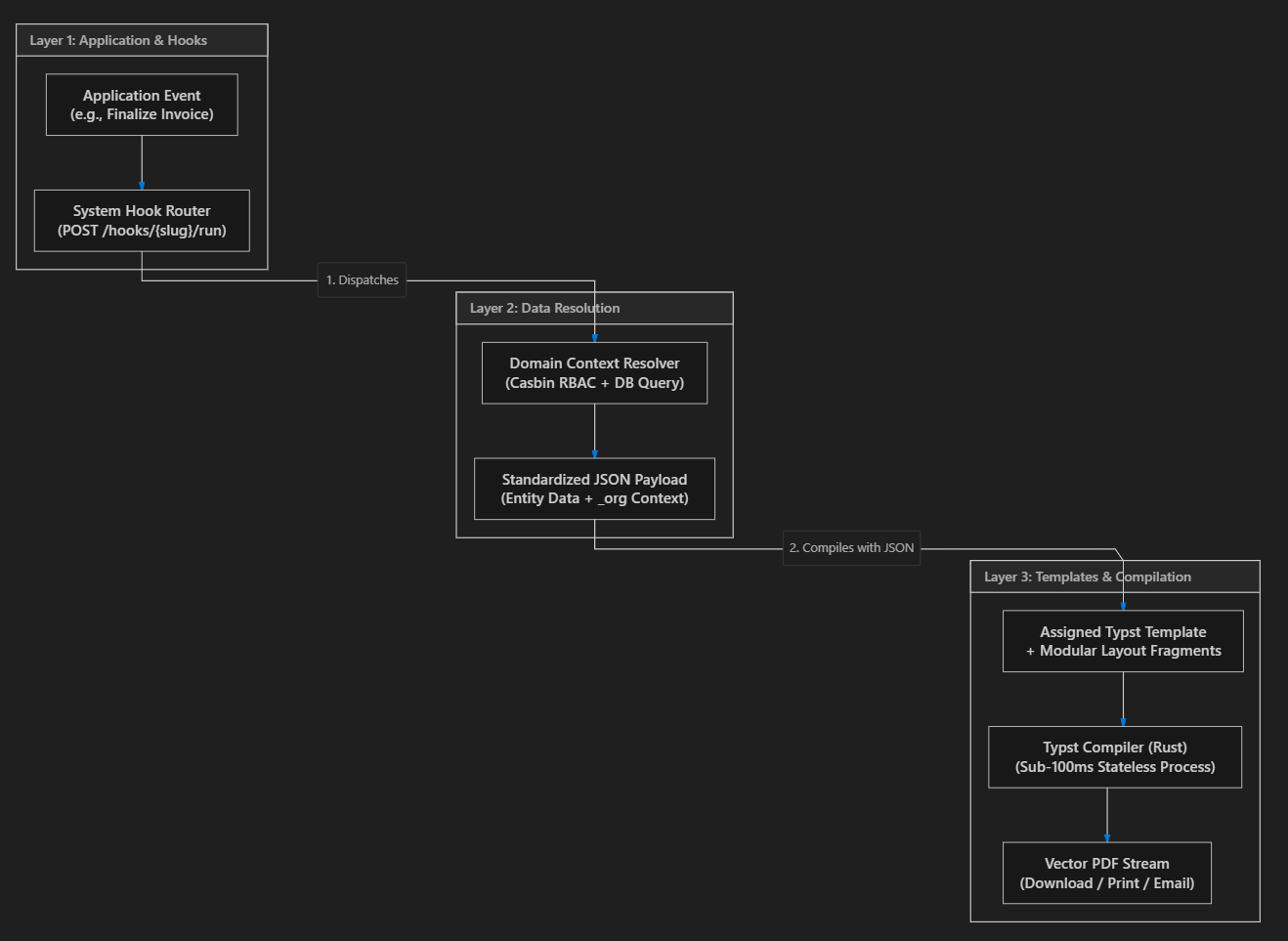
A core design requirement in HeroBM is decoupling where a document is triggered from how it is rendered. The system separates document generation into three distinct layers (shown in the Architecture diagram above).
This enables you to replace the system-provided template used for any business event (eg invoice generation) with one of your own, by hooking your template onto the event.
1. System Hooks (hookSlug)
A Hook represents a fixed event or trigger in the application workflow (for example, finalizing an order, generating a warehouse pick slip, or emailing a supplier remittance advice). Application code only calls the hook endpoint:
http POST /api/pdf-templates/hooks/{hookSlug}/run?id={entityId}
The application logic does not know or care which template file compiles the document.
2. Context Resolvers
Each hook is paired with a domain-specific Context Resolver. This gives you a standard set of data to use in your report template.
The resolver queries the transactional database (PostgreSQL via Drizzle ORM), applies entity-level authorization (Casbin RBAC), formats numbers, dates, and currencies, and constructs a structured JSON data dictionary.
3. Template Registry (pdf_templates)
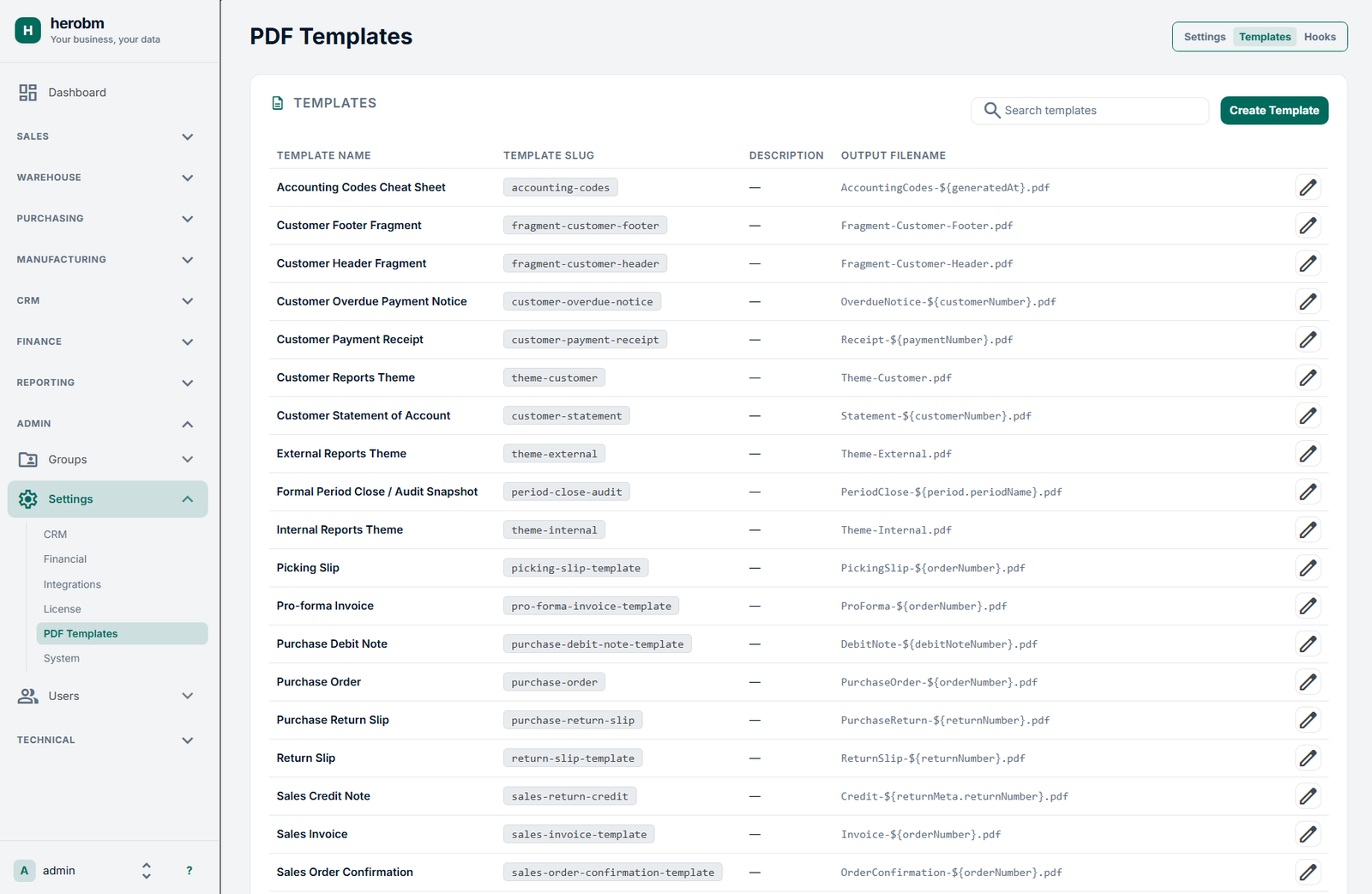
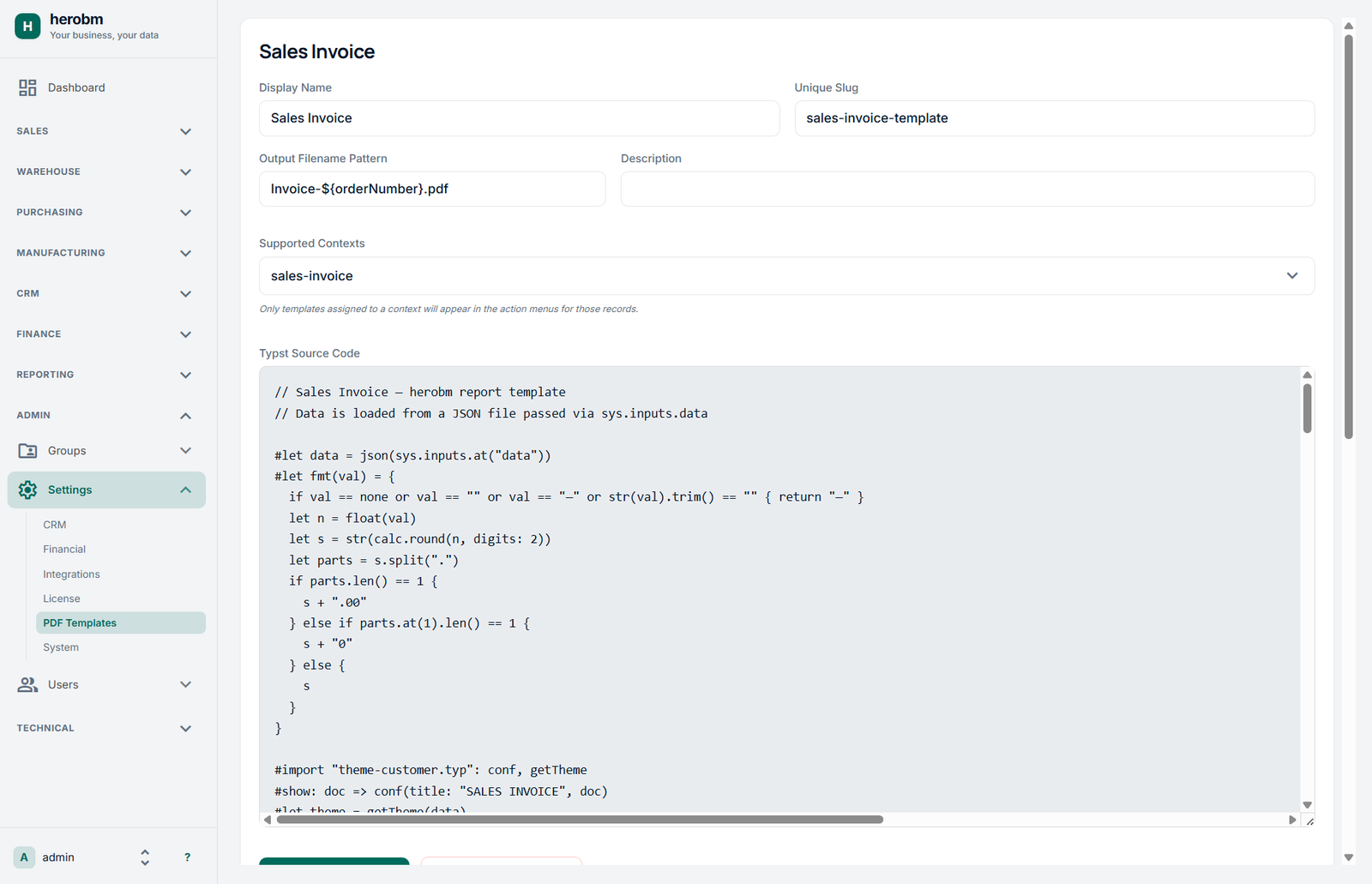
Templates are standalone Typst source files stored in the database. They can be viewed and edited in the UI using the Templates settings page.
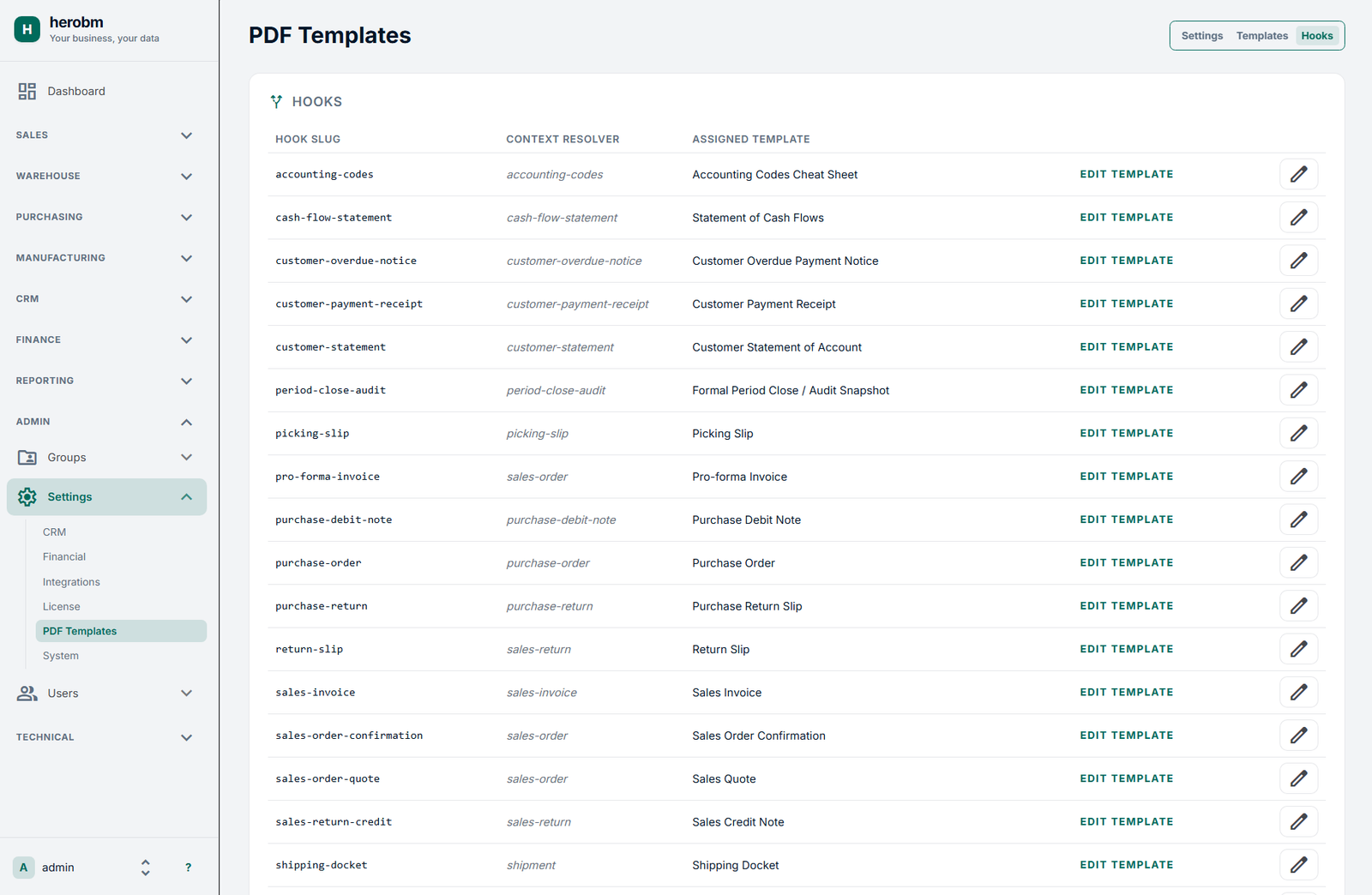
Administrators can reassign a hook to a different template directly in the UI without altering backend services or database schemas, using the Hooks settings page.
Organization & Theme Injection (_org)
To ensure consistent corporate identity across all 28+ standard reports without hardcoding company details into every file, HeroBM automatically injects a global _org dictionary into the root of every compilation payload.
{
"orderNumber": "SO-10492",
"lines": [...],
"_org": {
    "name": "ACME Industrial Supplies",
    "legalName": "ACME Industrial Pty Ltd",
    "taxNumber": "ABN 12 345 678 901",
    "email": "accounts@acme.example.com",
    "phone": "+61 2 9876 5432",
    "logoFile": "/app/storage/logos/org-logo.png",
    "pdfThemeConfig": {
        "primaryColor": "#1e3a5f",
        "accentColor": "#006b5c",
        "mutedColor": "#64748b",
        "fontFamily": "DejaVu Sans",
        "baseFontSizePt": 10
    }
}}
Semantic Color Hierarchy
Templates follow strict semantic styling rules rather than arbitrary color assignments:
primaryColor: Body copy, key identifiers (Invoice No, Order No), table text, and primary headings.accentColor: Document title badges, section headers (e.g., Bill To, Delivery Address), and grand totals.mutedColor: Metadata labels (Date:, Payment Terms:), timestamps, column subheadings, and footnotes.borderColor: Horizontal dividing rules and table line strokes.tableHeaderFill: Subtle background fill for table header rows.
Modular Layout Fragments
Rather than duplicating header and footer code across dozens of document templates, HeroBM uses reusable Typst fragments:
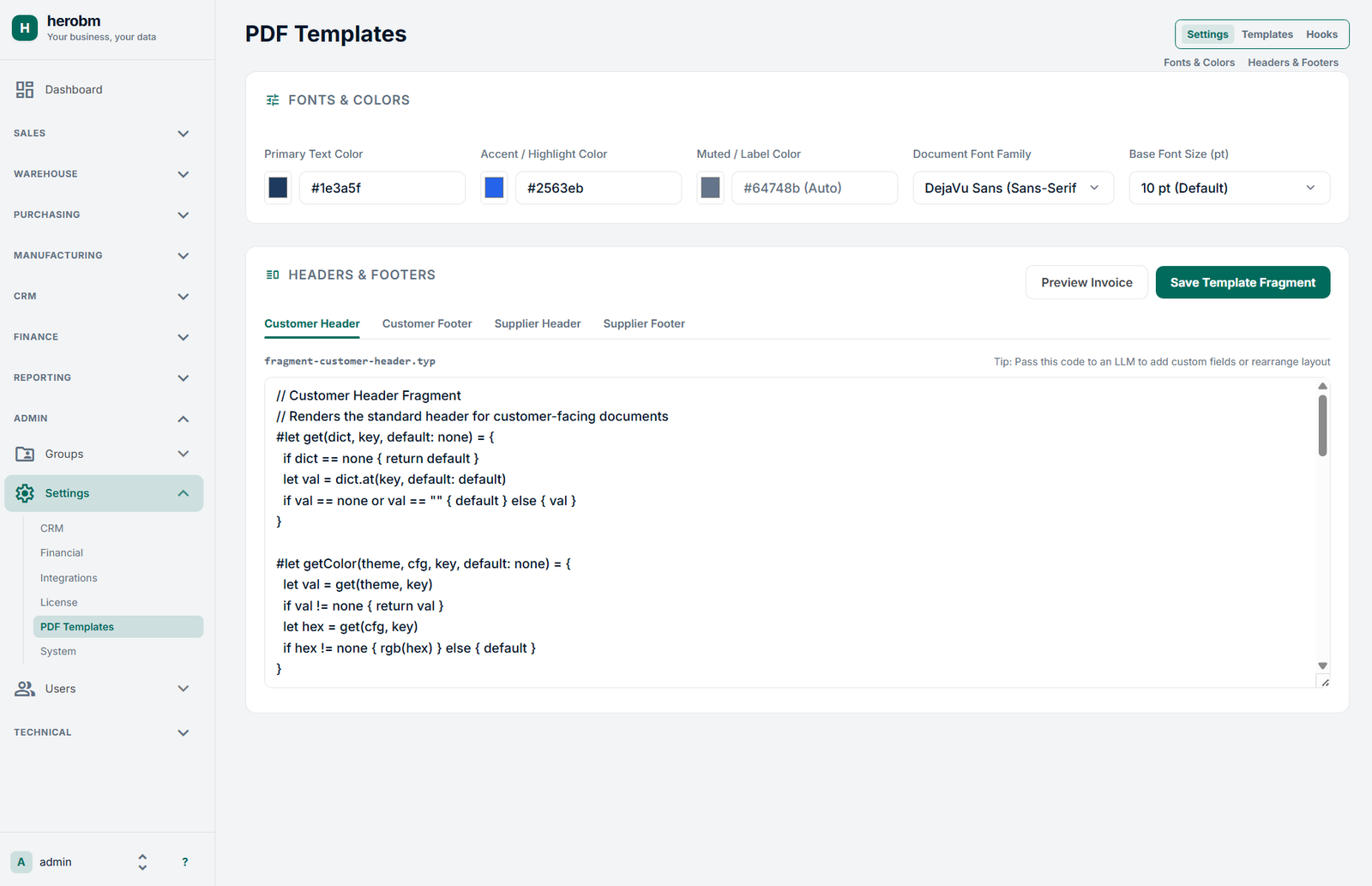
- fragment-customer-header.typ & fragment-customer-footer.typ
- fragment-supplier-header.typ & fragment-supplier-footer.typ
- theme-internal.typ (for picking lists, stocktakes, and GL audit reports)
HeroBM also defines some simple helper functions (get, getColor) to reduce boilerplate.
A document header fragment can then consume the injected theme and organization context in a few declarative lines.
Administration & Live Preview
HeroBM includes a dedicated PDF Templates portal under Admin → Settings, with three management views:
- Settings Tab: Provides live color pickers (Primary, Accent, Muted) and font family configuration with real-time auto-saving. It also hosts the source editor for global header and footer fragments.
- Templates Tab: A searchable inventory of all 28 registered document templates displaying name, template slug, description, and filename patterns. Clicking any row opens an integrated code editor with a side-by-side Typst compiler preview pane.
- Hooks Tab: An administrative mapping matrix linking application events (e.g.,
sales-order,sales-invoice,purchase-debit-note) to their active report templates.
Performance and Operational Characteristics
- Compilation Time: Typst compiles average 1–3 page business documents to vector PDF in 30ms to 90ms, compared to 1,200ms–2,500ms for equivalent headless Chromium pipelines.
- Memory Footprint: The CLI execution runs as a stateless subprocess consuming under 25MB of RAM per compilation invocation, eliminating the resident memory requirements of browser pools.
- Deterministic Layouts: Typst’s layout engine handles page breaks, dynamic table headers repeating across pages, and page counters natively without CSS print workarounds.
Summary
By pairing a metadata-driven backend architecture with Typst as the compilation engine, HeroBM achieves:
- Clean separation between business triggers (Hooks) and rendering logic (Templates).
- Sub-100ms vector PDF rendering without browser engine dependencies.
- First-class compatibility with LLM-assisted template generation and editing.
- Centralized branding that propagates dynamically across all operational documents.
- A low-maintenance template authoring model utilizing modular Typst fragments.